Gogh Themes, Converted for Windows Terminal
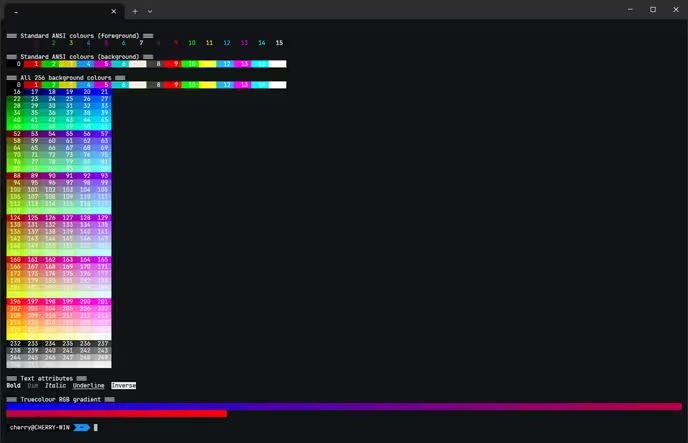
I’ve been messing around with Windows Terminal themes previously, and recently wanted to change my theme (again). Naturally, that turned into a project of its own. Because apparently picking a colour scheme and getting on with my day would be far too straightforward. Well, it actually would be if I used any other terminal emulator.
If you’ve ever used Gogh, you’ll know it’s a collection of terminal colour schemes originally intended for various terminal emulators on Linux and macOS. There’s a frankly unreasonable number of them, which is great when you’re trying to find something that looks right and… less great when you realise you want to use them somewhere else entirely.
Windows Terminal has its own JSON format for colour schemes, so you can’t just take a Gogh theme and drop it straight into your settings. Not without doing some conversion(s) first. So I decided to convert the lot, primarily for myself. Just so I can swap these out whenever I feel like it, and not have to run through this entire process again somewhere down the line.
All original 1,250 colour schemes
I’ve put together wt-gogh-themes on GitHub, containing 1,250 Gogh colour schemes converted into Windows Terminal’s native JSON format.
Each theme is provided as an individual JSON file, ready to be copied into the schemes array in your Windows Terminal settings.json. No shell scripts to run, and no need to manually translate colour values yourself.
Just pick a theme, copy the JSON, and you’re done. The conversion maps Gogh’s sixteen ANSI colours, background, foreground and cursor into the corresponding Windows Terminal properties. There’s also the selection background to account for, which Gogh doesn’t define consistently in the source files. For those themes, I’ve used existing selection colours where a matching palette could be established, and derived a fallback for the rest.
The idea is to preserve the original colours rather than introduce my own interpretation of what a theme should look like. If a theme looks terrible, that’s between you and whoever designed it. My goal here was to keep it faithful, not to judge your choice in terminal theme.
What’s the goal, why an entire repository?
Honestly, I wanted more options for Windows Terminal without having to hunt around for individual ports of themes I liked.
There are already plenty of excellent colour schemes by default (surprisingly, thanks Microsoft) that available for Windows Terminal, and this isn’t an attempt to replace any of them. It’s simply a way to make an existing collection of themes available in a format Windows Terminal understands.
Having every theme available individually also makes it relatively painless to browse through them, try something different, and switch back when you inevitably decide the previous one looked better.
One thing worth mentioning: I wouldn’t recommend importing all 1,250 schemes into your terminal settings unless you have a particular reason to do so. Windows Terminal has to load and parse its configuration, and carrying around a huge list of schemes isn’t particularly useful when you only use a handful of them. Best way to do add themes is to keep the ones you like, leave the rest untouched from the repository, and tweak it whenever the mood strikes.
A few things to be aware of…
These are conversions of existing themes, not a collection of palettes I’ve personally designed or painstakingly tweaked. Some themes have questionable contrast, and a few might not be particularly comfortable to use for extended periods. That’s part of the source collection, rather than something the conversion process attempts to fix.
Windows Terminal also has some built-in colour schemes, so a small number of Gogh themes share names with existing schemes. If you’re importing one of those, it’s worth checking the name and renaming it if necessary to avoid a collision.
I’ve kept the individual theme files separate so you can inspect them, make your own adjustments, or simply grab the ones you want without having to deal with the entire collection.
And also, these were converted en-masse with my Hermes agent. So while I’ve ran through and validated quite a large chunk of these themes personally, a few may have issues as of this initial deployment. Feel free to open an issue within the GitHub repository if you find any, and I’ll try to fix it once I can get around to it!
Where can I find them?
The repository is available here:
It’s a fairly straightforward project, but it solves a small annoyance I had and makes a pretty substantial collection of themes easier to use on Windows.
And that’s it, really. Just something I decided to work on because it seemed useful for me, and might help another soul out there also using Windows Terminal with a need for their chosen theme(s).